
 Last updated: May 9, 2020
4 min read


 Last updated: May 9, 2020
4 min read

Netatmo is a weather station and air quality monitor for your iPhone, iPad or Android mobile device. It comprises of two cylindrical sensor units, one for outside your house and one for inside.
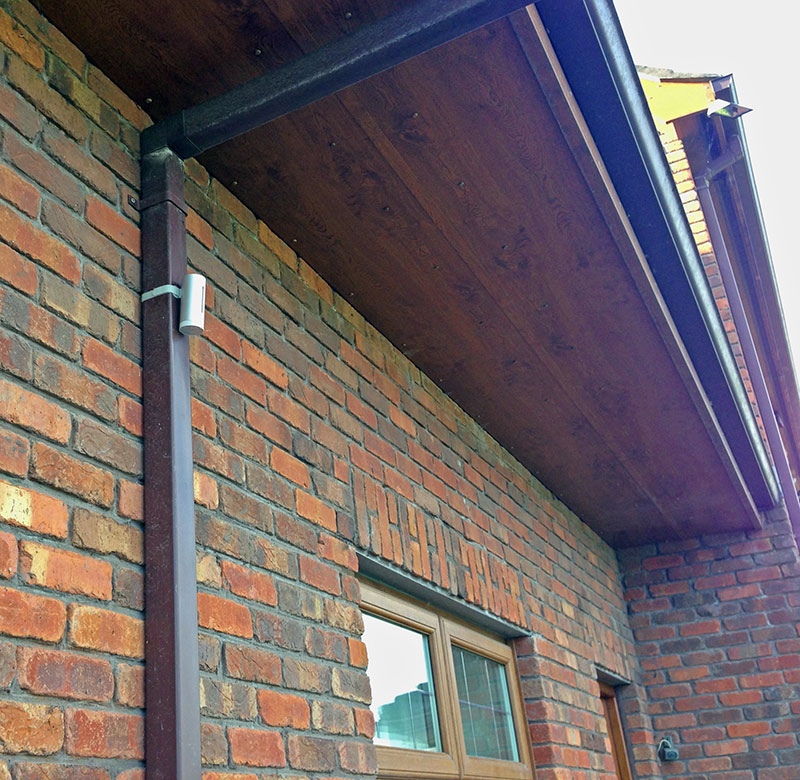
Setting it Up – The instructions point out that you’ll need to find somewhere undercover for the outdoor unit as it shouldn’t get too wet. This seems strange request for a outdoor weather sensor. Luckily we have an ideal area where our roof extends a few feet over our house.
This was one of the easiest installs for any system we’ve ever reviewed. Although the exterior sensor must be fixed, there’s a clever little velcro strap in the box so we had it mounted to some guttering in a couple of minutes (there’s a wall plug and screw in the kit too if you prefer).
The smaller outdoor module is battery powered (manufactures claim 6-12 months on one set) and it sends its data to the larger indoor cylinder using RF. The unit inside is powered from a mains USB adaptor (included) and connects to your Wi-Fi network. It passes on the outside measurements to your personal online Netatmo account as well as the indoor data it records too. You can configure all this from an iPhone, iPad, Mac, Windows or Linux PC.
Using the System – Netatmo measures temperature and humidity for inside and out as well as inside atmospheric pressure, CO2 and sound levels. The easiest way to see your data is from the free mobile apps. In addition to the actual reading from your station, Netatmo supplement your app with rainfall, wind and weather forecast data from your area using the location data you supply during the setup process.

You can add alerts so you will be informed every time the data crosses a threshold you specify For example you might like a push notification each time the outside temperature falls below freezing. A nice way to test the system is to blow into the indoor senor. The sudden increase in CO2 will show a spike on the graph in the app as well as pushing an alert to your phone about the sudden change in air quality.


The system takes a series of measurements automatically every 5 mins. You can also force a manual update by touching the top of the indoor module.

Doing More with your Data – Many shiny new digital home systems capture your data and forget to allow you to access it in other ways. Thankfully Netatmo have thought of this and allow you to export your data (CSV or Excel format) to explore and crunch. In addition the system has an API to allow third party developers to design new apps. An example is baratmo which allows you to see your netatmo stations’ data directly in your Mac’s menubar. We also noticed a forum post on possible xPL support coming in the future too. You can share your account with an email invite to a friend or by using your social network contacts (Facebook, Twitter, Google+ or Linkedin). You can also opt in to contribute your data to a growing global air quality monitoring network.


Summing Up – Netatmo is easy to setup and install. It provides a simple way to view your outdoor weather, albeit relying on external rainfall and wind speed data. In addition it provides a range of measurement of indoor comfort levels and air quality and can send push notifications based on your trigger levels. It also allows you to easily export your data too. It’s definitely a system that could have the whole family’s interest piqued in the subject and certainly has educational value as well as a certain cool factor.
[amazon box=”B01084QX9Y”]


We appreciate you taking the time to share your feedback about this page with us.
Whether it's praise for something good, or ideas to improve something that
isn't quite right, we're excited to hear from you.
